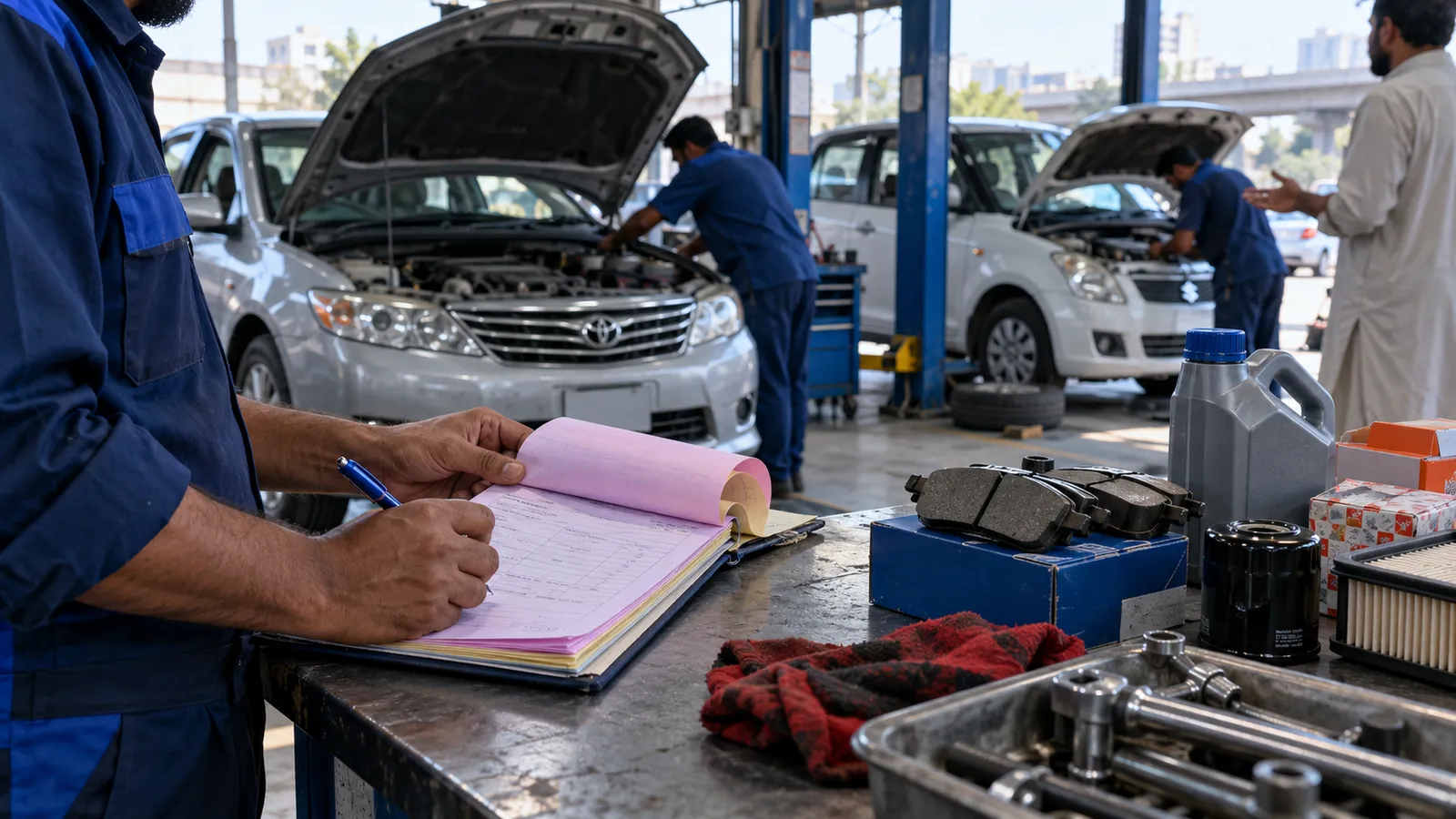
A Corolla comes in with a noise from the front, a Suzuki needs an oil change, and a customer is arguing that the brake pads you fitted three months ago are already gone. Your workshop on Shahrah-e-Faisal or in a Lahore auto market writes all of this on carbon slips, and the parts come from the shop next door on credit. At night nobody can say how much was earned or which parts were used on which car.
One job card per car, from gate to gate
Everything starts when the car arrives. The service advisor opens a job card with the registration number, mileage, customer phone and the complaint in the customer's words. Photos of existing scratches go on it, so there is no argument later. The card is then given to a mechanic, who adds findings. The advisor calls the customer for approval, and only approved work goes ahead.
- Car arrives: registration, mileage, complaint, photos.
- Inspection: mechanic writes findings and parts needed.
- Estimate: advisor sends it on WhatsApp and records the approval.
- Work: parts are issued against the card, labour is logged.
- Quality check and wash, then the bill is printed from the card.
- Delivery: payment taken, next service date set.
Parts: the money that disappears
Most workshops lose more on parts than on labour. Oil, filters, pads and bulbs leave the store without being written against a car, or are bought from the market for one job and never billed. In the software, a part leaves stock only when it is issued to a job card, and parts bought outside for a job are entered as a purchase linked to that card. The parts room then balances, and you see the margin on every part. Our inventory management guide explains reorder levels for fast-moving items like oil filters.
| Business | What the card holds | What matters most |
|---|---|---|
| Mechanical workshop | Complaint, findings, parts, labour by mechanic | Parts control and customer approval |
| Detailing studio | Package chosen, coating or film, before and after photos | Warranty dates and photos |
| Car wash | Wash type, vehicle size, washer | Speed at the counter and monthly packages |
Vehicle history is your best sales tool
When a customer returns, type the registration number and see every visit: what was done, which parts, at what mileage. The brake pad argument ends in ten seconds. Fleet customers, such as a company with twenty cars, can get a monthly statement of every job on their vehicles, and pay on credit against it. Credit customers need a proper ledger, the same udhaar discipline we describe in the invoicing software guide.
Reminders that bring cars back
Set the next service by mileage or date when the car leaves. The software reminds the customer on WhatsApp when it is due. Detailers can remind customers of a coating top-up; car washes can offer monthly packages counted per wash. Keep messages short and useful.
Agree labour rates
List common jobs with standard labour, and decide which are charged by time.
Count the parts room
Do one full count of oil, filters, pads and other stock, and enter it as opening stock.
Name the mechanics
Add each mechanic and helper, so labour and any incentive can be tracked per person.
Open every new car on a card
From day one, no car enters the bay without a job card, even a quick oil change.
Review at the end of the week
Check parts issued against stock and fix any gaps while they are small.
Counter, payments and accounts
The bill comes from the job card, with parts and labour shown separately; customers trust that. Take cash, card, bank transfer, JazzCash or EasyPaisa. Parts are goods and labour is a service, and the tax treatment of each differs by province; confirm with your tax adviser. A POS system handles the counter; once you add a second branch, supplier credit and a parts warehouse, a small ERP is the better fit. The retail POS vs ERP guide explains where that line sits.
Many workshops also sell parts and oil over the counter to walk-in customers and mechanics from nearby. Treat those as ordinary shop sales from the same stock, the way a retail counter works, so the parts room still balances at night.
When a notebook is still fine
A one-mechanic roadside workshop with no parts stock does not need software. Once you keep parts, have more than a couple of mechanics, or serve company fleets, the job card pays for itself. Book a demo and bring three old carbon slips; we will enter them live.
Questions people ask
Can customers approve estimates on WhatsApp?
Yes. The estimate is sent as a PDF or link, and the advisor marks the approval on the card with the time. Nothing extra is fitted without that approval.
Does it handle parts bought from the market for one job?
Yes. The advisor enters the purchase against the job card, so the cost and the selling price both show on that car. It does not mix with your own stock.
Can fleet customers pay monthly?
Yes. Each fleet has a credit account and receives one statement for all its vehicles. Recoveries are tracked like any other udhaar.
Is it suitable for a car wash only?
Yes, in a lighter form: wash types, vehicle size, washer and monthly packages. Job cards and parts screens can stay switched off.