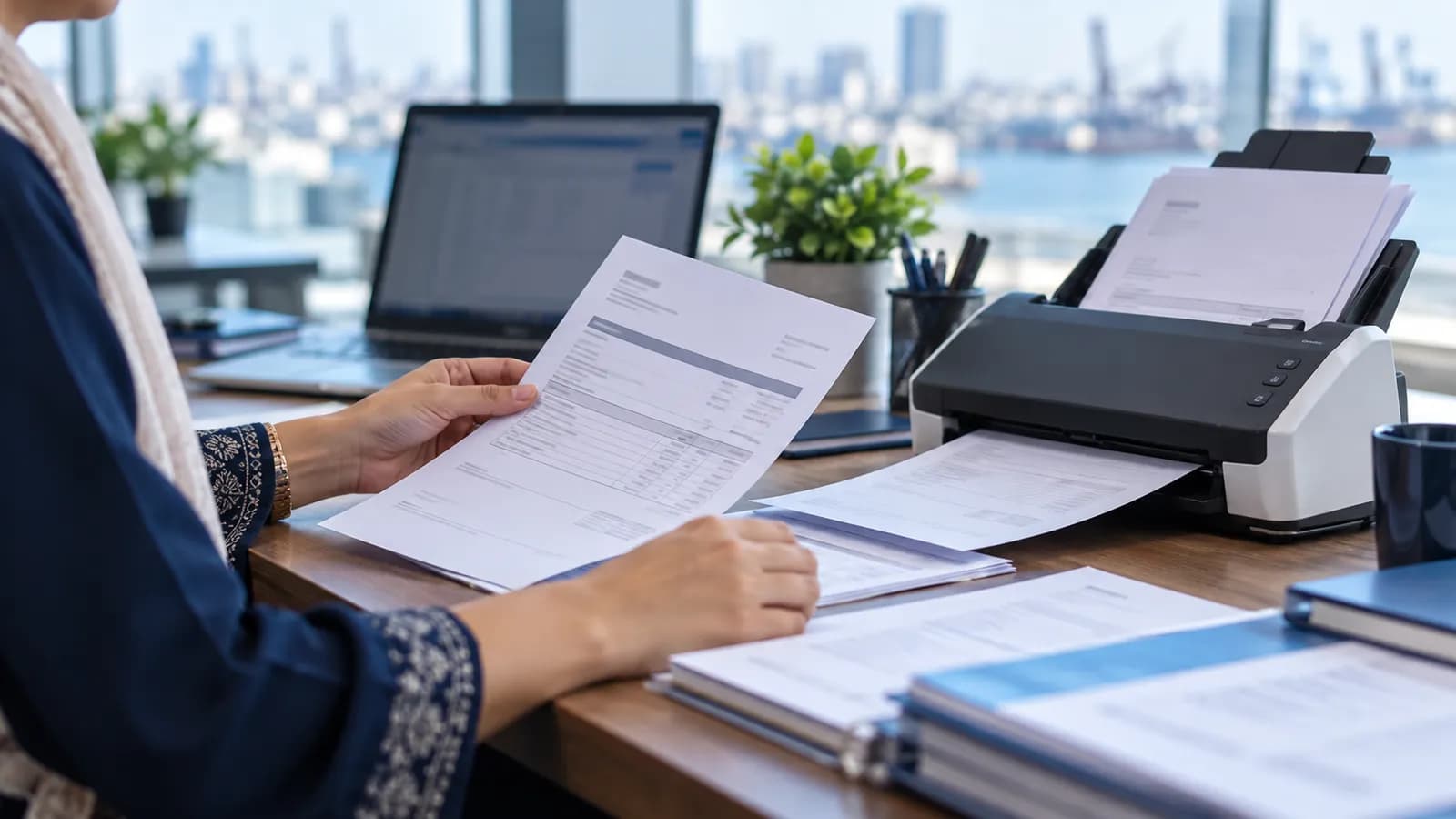
A supplier's invoice arrives three ways: as a PDF by email, as a photo on WhatsApp, or on paper with the delivery. Whichever way it comes, somebody prints it, types it into the system or into Excel, and files the paper. A customer's purchase order gets the same treatment in the other direction. The typing is slow, and the mistakes are the expensive part: a wrong rate, a quantity read from the wrong column, a bill entered twice, or a bill not entered at all until the supplier phones about it.
What AI document processing actually does
Strip away the vocabulary and the job has four parts. Each one can be explained to the person who will be approving the result.
- Read. The PDF, scan or photo is turned into text, including the lines of the item table. A clean PDF already contains its text; a photo has to be read character by character.
- Extract. The system picks out the fields that matter: supplier name, invoice number, date, each item line with quantity, rate and amount, the tax and the total.
- Match. Each field is matched against your own records. The supplier name is matched to your supplier list, each item description to your item codes, and the invoice to the purchase order you raised for it.
- Draft. A supplier bill, or a sales order, is created in the ERP with every field filled in, the original document attached, and a status of draft. Nothing has been posted yet.
The fourth part is where the value sits. Reading text out of a PDF is old technology. Knowing that "Bearing 6205 ZZ, SKF" on the supplier's paper is item code BRG-6205 in your store, and that it belongs to the purchase order raised last week, is what saves the storekeeper's afternoon. It is also why the system is only as good as the lists it matches against.
Where it is reliable and where it is not
Honesty here saves a lot of disappointment later. The same system will read one document perfectly and make a mess of the next, and the difference is almost always the document, not the software.
| Document | What the system sees | What to expect |
|---|---|---|
| Printed PDF from a regular supplier | Clear text in a layout it has seen before | Nearly every field right; check the total against the purchase order |
| Photo of a printed invoice from WhatsApp | Depends on light, angle and creases | Good when sharp and flat; poor when dark, tilted or folded |
| Scan with a stamp or signature across the figures | Characters hidden under ink | The amounts under the stamp need a person's eye |
| Handwritten challan or kacha bill | Digits read one at a time | Treat every number as a guess until someone confirms it |
| First invoice from a new supplier | No supplier, no items and no purchase order to match | The system should ask, not guess; a person creates the records |
Documents can go further back than the invoice. In the Sea Keepers ERP, enquiry emails are read from the company mailboxes into the system automatically, so the job starts in the ERP rather than in somebody's inbox. The same approach then carries through to the paperwork that follows.
The controls that keep it safe
- A person approves every draft. The AI never posts to stock or accounts on its own. The approver sees the draft beside the original document.
- Anything unmatched is flagged, not guessed. A new supplier, an unknown item or a total that differs from the purchase order goes to a person with the reason shown.
- A duplicate check on supplier and invoice number stops the same bill being entered from the email and again from the paper copy.
- An audit trail records which document created the entry, who approved it and what they changed before approving.
- Roles decide who approves. Our guide to roles and permissions covers how to set that up without slowing the work down.
How to introduce it
Pick one document type
Usually supplier invoices from your few busiest suppliers. Customer purchase orders and delivery challans come later.
Clean the lists it will match against
Supplier names, item codes, units and open purchase orders. A messy item list produces messy drafts, however good the reading is.
Run it beside the old typing
For a period, let the drafts and the typed entries both exist, and compare them. The comparison tells you which suppliers read well and which do not.
Write the approval rule
Who approves, what is auto-flagged, and what the approver must check every time (usually the total and the purchase order match).
Widen it
Add the next document type only when the first is being approved every day without complaint.
Do you need it at all?
If a dozen supplier bills reach you in a month, no. A good ERP with a clean supplier list and a purchase order to copy from already makes entry quick, and our guide to invoicing software in Pakistan covers what that should handle. AI reading earns its place where documents arrive in volume, from many suppliers, with long item tables, and where the person typing them has better things to do.
It also sits late in the order of things. The plan for automating a company explains why the core records come first; document reading is a layer on top of an ERP that is already in daily use. If you want to see your own invoices read into a draft, book a demo and bring a few, including an ugly one.
Questions people ask
What is AI document processing?
Software that reads an invoice, purchase order or similar document, pulls out the fields and item lines, matches them to your supplier and item records, and creates a draft entry in your system. A person approves the draft before it is posted.
Does it work on invoice photos sent over WhatsApp?
Yes, when the photo is sharp, flat and well lit. Dark, tilted or creased photos read badly, and the figures under a stamp or signature are often wrong. Ask suppliers for the PDF where they have one.
Can it read handwritten bills and challans?
Only partly. Handwritten digits are read one at a time and are easy to misread, so every number on a handwritten document should be treated as a guess until a person confirms it against the paper.
Will it post entries without anyone checking?
It should not, and we do not build it that way. Every entry stays a draft until a person approves it, with the original document attached and an audit record of who approved what.
Do I need an ERP before using AI document processing?
Yes. The reading only becomes useful when it can match against clean supplier, item and purchase order records and create an entry in one system. Without those, you get a text file instead of a typed one.