The accounts are in good order. Xero reconciles the bank, the VAT return goes in on time and the accountant has no complaints. The trouble sits upstream of the invoice: which orders are waiting on stock, what was promised to which customer, what a supplier has shipped and what is still to come. That lives in spreadsheets, an inbox and one person's memory. This is the point at which the owner of a small business starts searching for ERP software.
What an accounting package is built for
Xero, QuickBooks and Sage keep the books: invoices, bills, bank lines and VAT. They also carry some stock and ordering features, and for a company with a short product list those are enough. A business tends to outgrow them in the operations around the invoice:
- stock held in more than one place, or set aside for orders not yet shipped
- purchase orders that arrive in part deliveries
- prices that differ by customer, quantity or contract
- a job, batch or serial number followed from purchase to sale
- approval before a discount, a refund or a supplier payment
Our comparison of ERP and accounting software sets the two side by side.
When ERP software suits a UK small business, and when it does not
If you sell services by the hour, or a small range from one stockroom, you probably do not. An add-on for your accounting package or a better spreadsheet will serve, and will be running sooner. The same goes for a business whose real problem is that nobody follows the process it already has; software does not repair that. An ERP pays its way when the same order is typed into three places and the three versions disagree.
VAT and Making Tax Digital
VAT in the UK is administered by HMRC, with a standard rate of 20%. Making Tax Digital requires VAT records to be kept digitally and returns to be filed through compatible software. For a business adding an ERP, the sensible design follows from that: figures travel from the ERP to the filing software as data, with nobody copying totals across by hand.
A custom ERP has no need to file the return itself. The accounting package already does it, and your accountant already trusts it. The ERP's task is to raise each invoice with the right VAT code and pass it over untouched. Which codes apply to your products, and how the unusual cases are treated, are your accountant's decisions; we build what they specify. Anything about registration, schemes or deadlines is a point to confirm with your accountant.
Keep the books where they are and connect the operations
| Record | In the ERP | In Xero, QuickBooks or Sage |
|---|---|---|
| Customers and suppliers | Created and edited here | Receives a copy |
| Products, prices and stock | Held here, by location | Only the codes the ledger needs |
| Sales orders and dispatch | Held here | Not held |
| Sales invoices and credit notes | Raised from the dispatched order | Received with the VAT code, ready for the ledger |
| Purchase orders and goods in | Held here | Not held |
| Supplier bills | Matched to the purchase order | Received for payment and VAT |
| Bank, payroll and the VAT return | Not held | Held here |
| Customer payments | Shown against the order | Recorded and reconciled, then passed back |
One rule keeps the two in step: every record has a single home. An invoice edited in the accounting package after it arrives no longer matches the order it came from. The mechanics are covered in how to integrate accounting software with an ERP.
The link uses the interface the accounting package provides for other software. Before quoting, we check what your edition of the package allows, because that sets what can be sent automatically and what has to go across as a scheduled import.
Custom ERP or a packaged one
Packaged ERP products sold in the UK usually arrive with VAT handling and accounting links already in place. If one fits the way you work, buy it. A bespoke system is for the business whose own method is its advantage and would be flattened by a standard product: unusual pricing, a production step nobody else has, a customer portal tied to live stock. Custom ERP versus off-the-shelf compares the two without a sales pitch.
Phases that suit a small team
Map one order end to end
Follow a real order from enquiry to payment and list every spreadsheet, email and person it touches.
Clean the product and customer lists
One list of each, agreed with the accountant so the codes match the accounting package.
Go live with stock and sales orders
Start where retyping the same order costs the most time today.
Switch on the accounting link
Send invoices across, then compare the two systems' totals for a whole month before you trust the link.
Add purchasing, then reports
Each new part waits until staff use the previous one every day.
Where Operix stands
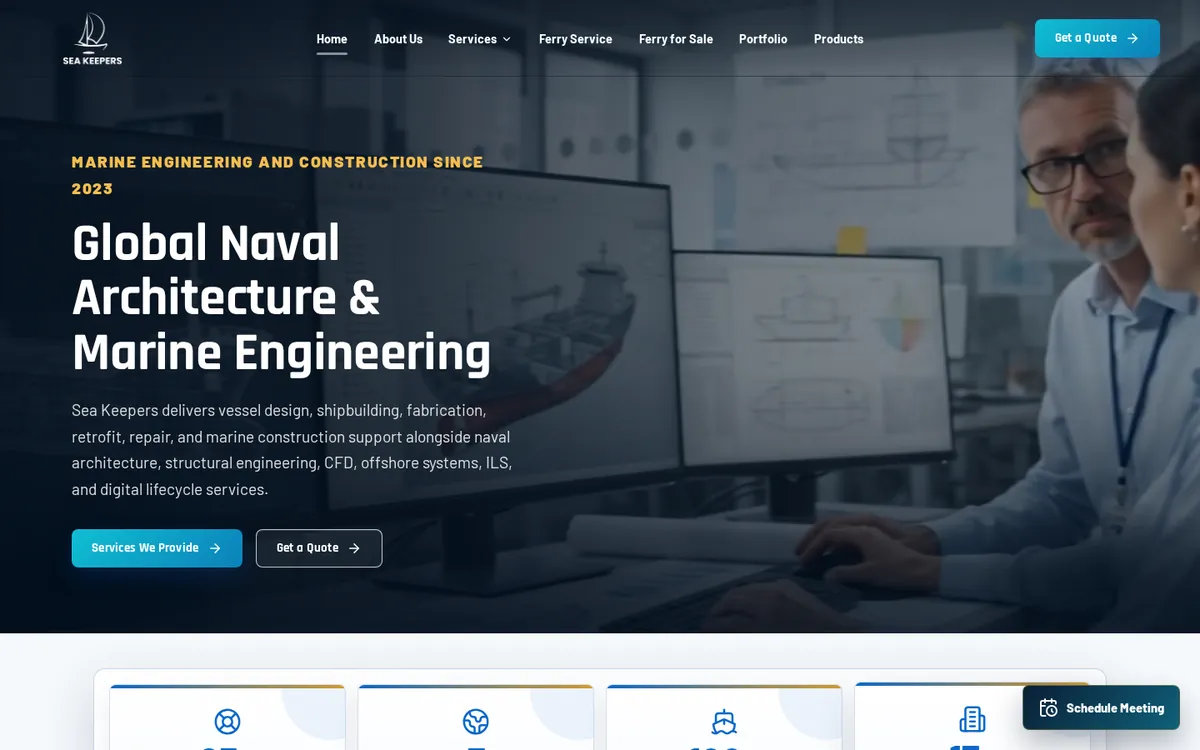
Operix builds ERP software for UK businesses remotely from Karachi. We have no UK office and no published UK client. Our portfolio is mostly Pakistan and the UAE, with some international work, and the system closest to this guide is Sea Keepers: a full ERP that runs the company's work from the first enquiry email to the final delivery documents. The link to your accounting package is scoped and tested with your accountant as part of the project, so it matches the way your books are kept.
Calls are held in the UK morning and early afternoon; Karachi is four hours ahead in summer and five in winter. Read how we work with UK clients, or book a demo and show us the spreadsheet you would most like to retire.
Questions people ask
Does a small UK business need ERP software?
Only when operations have outgrown the accounting package: stock in several places, part deliveries, customer-specific prices or orders tracked in spreadsheets. A business selling services, or a short product list from one stockroom, can usually stay as it is.
Can a custom ERP work with Xero, QuickBooks or Sage?
Yes, through the interface the package provides for other software. The ERP raises invoices and bills and passes them across with their VAT codes, and the accounting package remains the ledger.
Is a custom ERP compatible with Making Tax Digital?
The usual design leaves the VAT return in your accounting package, which is the compatible software that files it, and has the ERP feed that package digitally. Confirm with your accountant that the arrangement meets the rules for your business.
How long does a custom ERP take?
It depends on the modules. The timeline is agreed part by part in the written quote, and the first part goes into daily use while later ones are still being built.
What does a custom ERP cost for a UK SME?
The price follows the modules, the number of users and sites, and what the ERP has to connect to. We publish no figures; a discovery call comes first and a written quote after it.